Lane War: plan it, then watch it blow up.
A tactical strategy game for your browser. Place your squad on three lanes, shoot the red barrels at the right moment and break the enemy base across 6 levels.
How to play in 3 steps
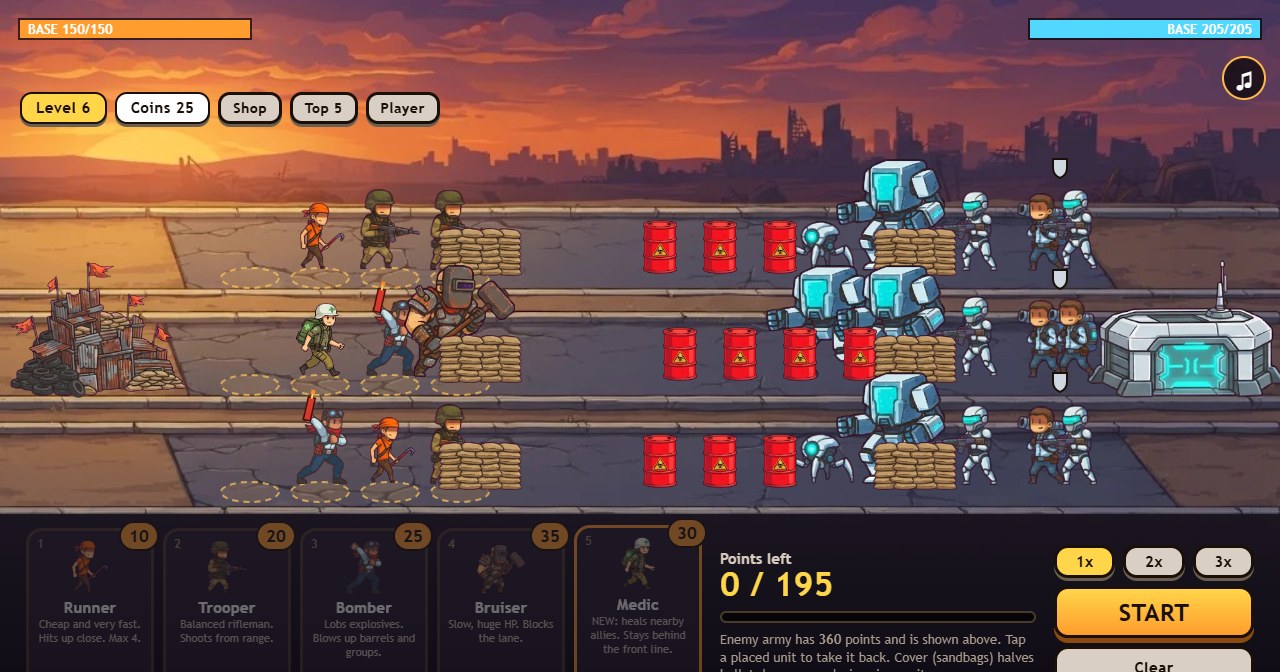
Every level is a puzzle first and a battle second. You get a budget of points, the enemy army is shown on the field, and you decide who goes where.
Choose a card at the bottom (or press 1 to 5) and tap one of the dashed slots on the three lanes. Each unit costs points from your budget.
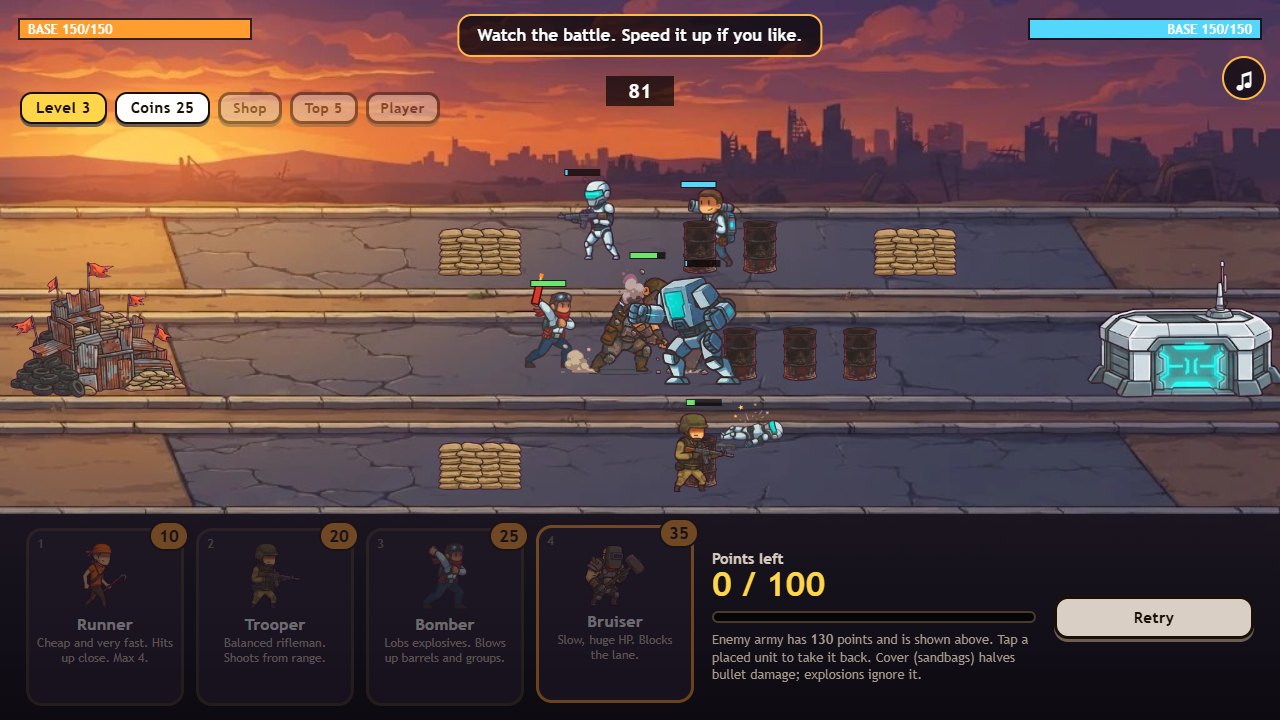
Red barrels explode and hurt everything close to them. Put a unit where it can set them off just as the enemy walks past.
Then watch the fight. Speed it up with 2x or 3x. Win by breaking the enemy base before yours falls.
Your squad
Five units, each with a job. Costs are in points. Cheap units are not weak units, they are just easy to lose.
Tips for the first levels
The enemy army and its points are shown before you spend anything. Count what is in each lane and answer it.
Sandbags halve bullet damage. Explosions ignore them, so watch out for enemy blasts too.
Tap a placed unit to make it hold in place. Drag it to move it to another lane. Drag it down to take it back.
Stars you earn become coins. Buy upgrades like extra base protection before the harder levels.
About the game
Lane War is a short, thinking-first strategy game. There is no timer on the planning phase and no way to win by clicking fast. You build a small squad from a points budget, set it on three lanes and then see whether your idea works.
It is also an experiment. The code came from a chat with an AI, the art came from an AI image tool, and the rest is hours of testing and balancing by hand. Want to make a game like this yourself? Save the code from your chat with AI Code Harvester, a free Chrome extension, and read how to put the page online.
Everything runs in your browser. Your level, coins and shop upgrades are saved on your own device, and nothing is sent to a server while you play.
Questions people ask
Is Lane War free?
Yes. There is no download, no account and no ads in the game.
Does it work on a phone?
Yes. Turn your phone sideways and tap: pick a unit, tap a slot, then press START. A computer with a mouse is a bit more comfortable, but both work.
Is my progress saved?
Yes, on your own device. Your level, coins and shop upgrades are kept in your browser. Clearing the site data in your browser resets them.
Will there be more levels or an online leaderboard?
Maybe. If enough people enjoy the game, we will keep working on it with more levels and possibly a leaderboard. Write to contact@getplugzz.com if you would like that.
Can I change a unit after I placed it?
Yes, before you press START. Tap a placed unit to take it back, drag it to another lane, or drag it down to remove it. Every point you take back is yours to spend again.
What are the red barrels for?
They explode when shot or hit by a blast, and the explosion hurts everything close by. Placing a unit that can set them off just as the enemy walks past is the main trick of the game.
Who made Lane War?
One person, with an AI chatbot for the code and an AI image tool for the art, then tuned by hand. Nothing is sent to a server while you play.
More from GetPlugzz
Free games, free browser tools and Chrome extensions, all made by one person.