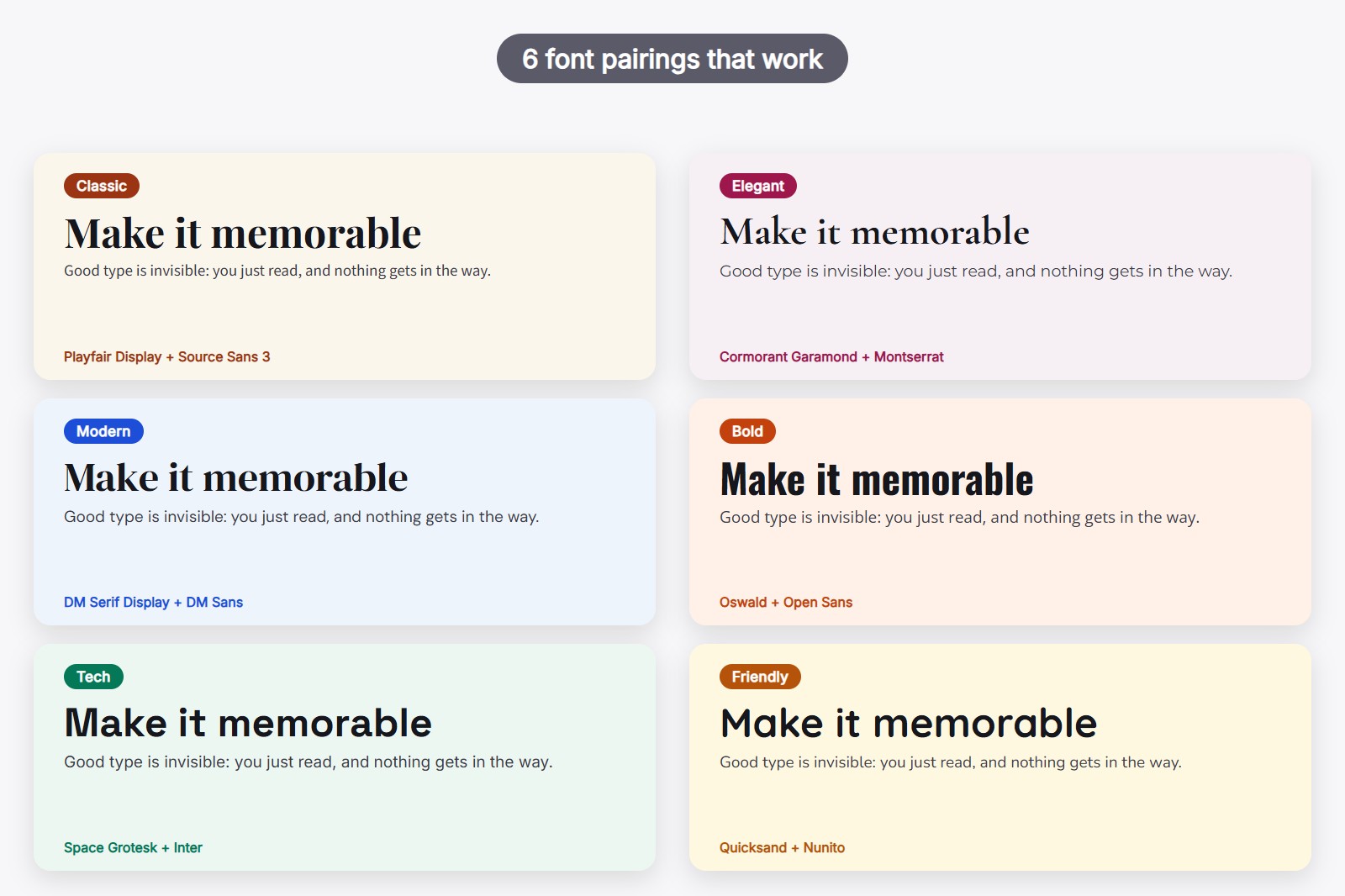
A good font pairing is a heading font and a text font that look different enough to work as a team but share the same mood. A safe place to start is a serif heading with a clean sans-serif text, such as Playfair Display + Source Sans 3. Below are six pairings from Google Fonts, one for each mood, and a free way to try them on your own website before you touch any code.
What makes two fonts a good pair
Think of a band. The singer is your heading font, and the musicians behind her are your text font, the one used for paragraphs. If everyone shouts at once, nobody hears the words. A good pair has one voice that stands out and one that supports it. Three simple rules get you most of the way:
- Contrast, not clash. Pick two fonts that look clearly different, like a serif (letters with tiny feet at the ends, as in a printed book) next to a sans-serif (letters without them). Two fonts that are almost the same just look like a mistake.
- One mood. A playful, rounded font next to a stiff, formal one sends mixed signals. Choose fonts that would feel at home in the same room.
- Two fonts, no more. One for headings, one for text. Add variety with size and weight (how thin or thick the letters are), not with a third font.
Classic: Playfair Display + Source Sans 3
Playfair Display is a serif with sharp, high-contrast strokes that feels a bit like a newspaper front page. Source Sans 3 is a calm, easy-to-read sans-serif that stays out of its way. A good fit for blogs, magazines, portfolios and anything that wants to feel trustworthy.
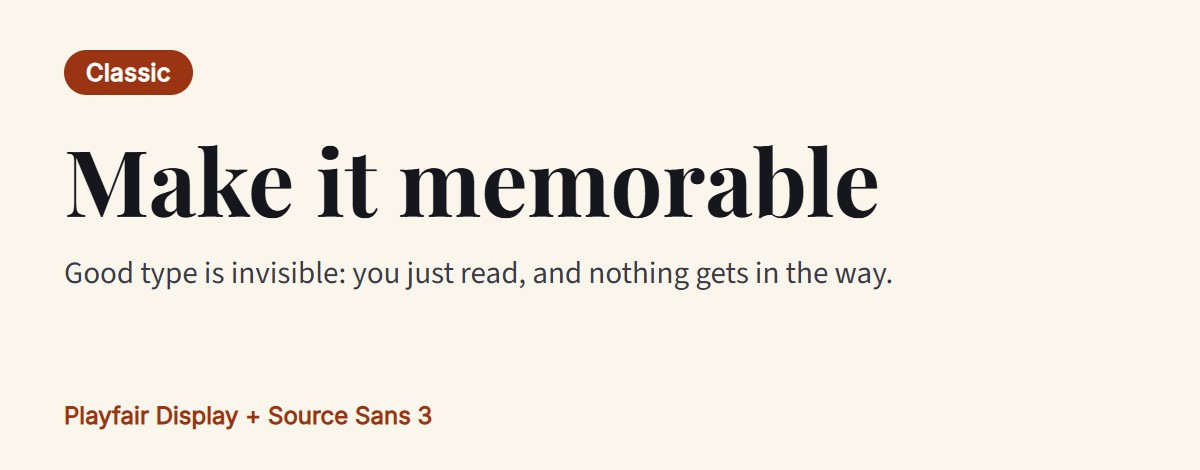
Elegant: Cormorant Garamond + Montserrat
Cormorant Garamond is a light, graceful serif with long, delicate lines. Montserrat is a wide, geometric sans-serif that gives it a modern floor to stand on. Think fashion, beauty, weddings and restaurants. One tip: Cormorant gets thin when it is small, so keep it for big headings.
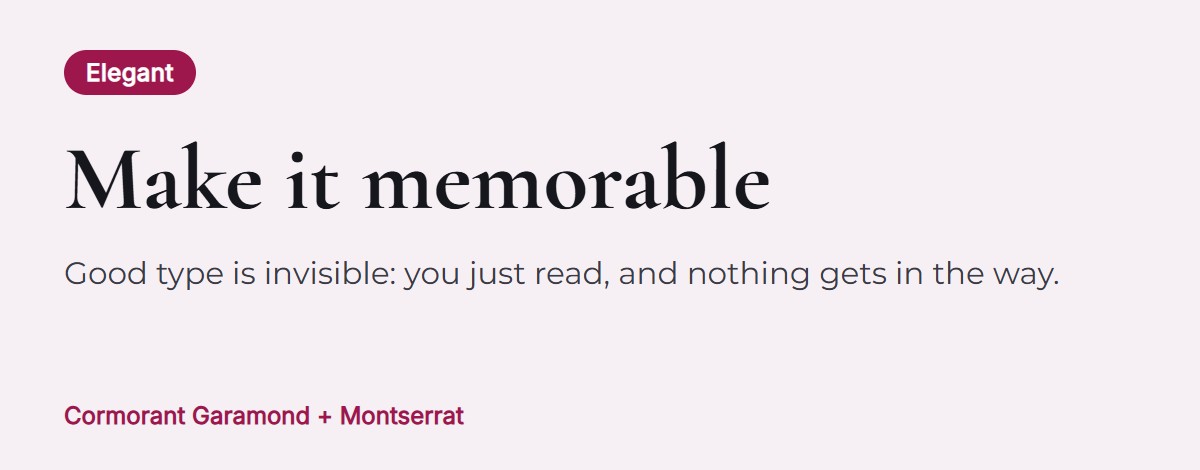
Modern: DM Serif Display + DM Sans
DM Serif Display is a chunky serif made for big headlines. DM Sans is a clean, friendly sans-serif with a similar soft feel, so the two blend well. A good pick for startups, agencies and landing pages that want to look fresh but not cold.
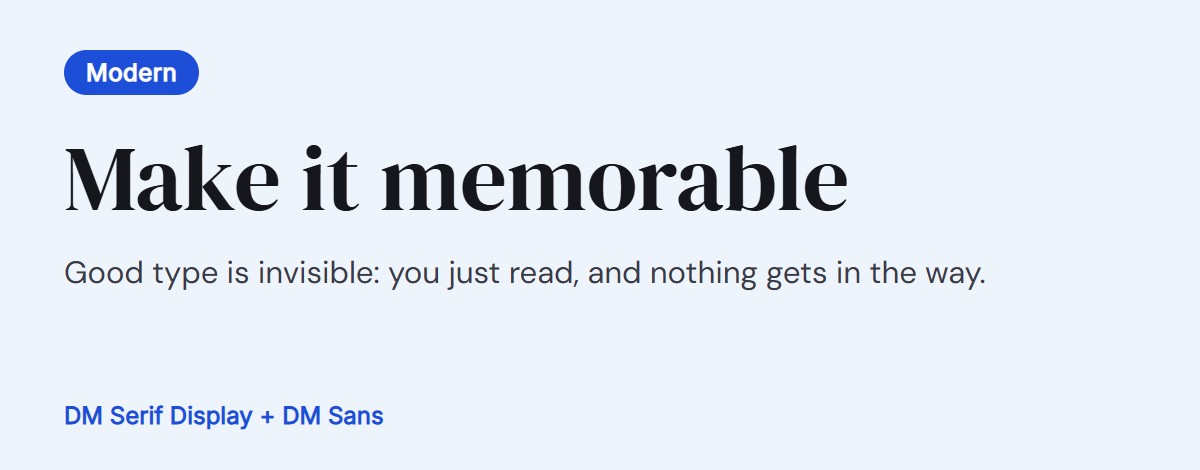
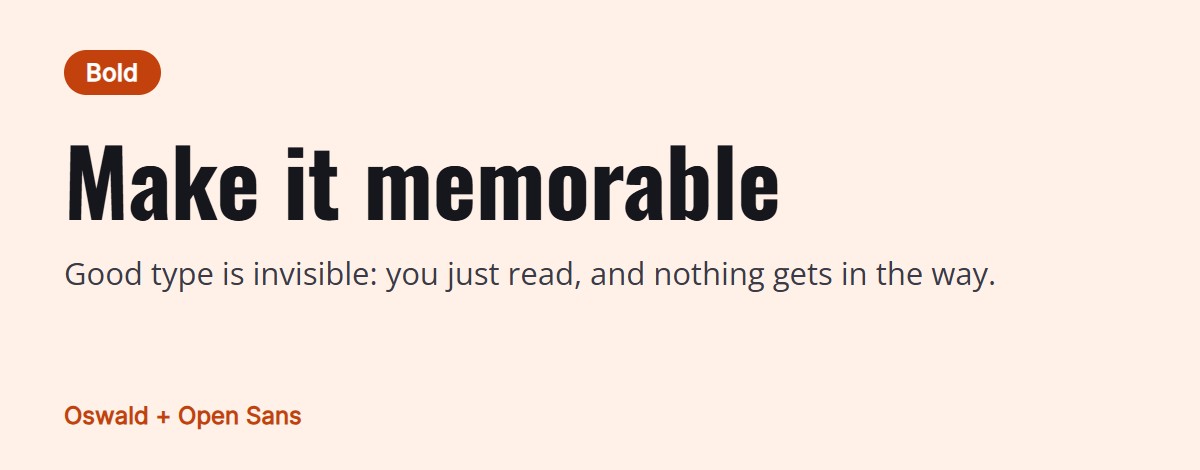
Bold: Oswald + Open Sans
Oswald is tall and narrow, so a lot of words fit on a line and still shout. Open Sans is wide, open and very easy to read, which balances it out. Useful for news, sports, events and anywhere the headline has to grab people.
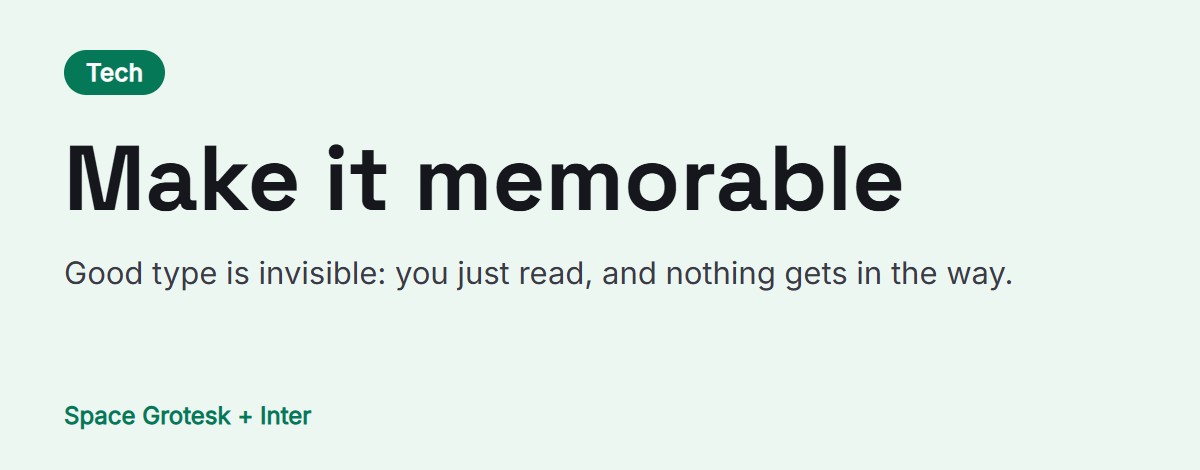
Tech: Space Grotesk + Inter
Space Grotesk has a slightly quirky, geometric look that says “we build things”. Inter was designed for screens and stays readable at small sizes, so it carries the paragraphs. A natural fit for software, dashboards and developer tools.
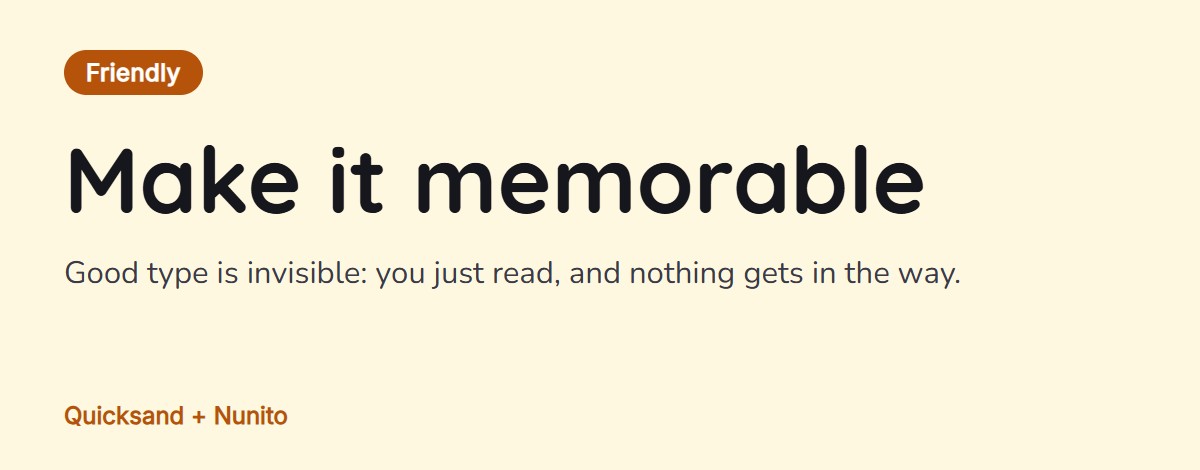
Friendly: Quicksand + Nunito
Quicksand and Nunito both have softly rounded ends, so they feel like they belong together. The result is warm and approachable. A good fit for education, kids, apps, food and community sites.
How to test a pairing on your own website
Reading about a pair is not the same as seeing it on your own pages, with your own words. FontMee is a free Chrome extension, a small add-on that gives the browser one new feature, and it lets you try fonts on a real website, on your own screen only. It even has pairings built in: 32 hand-picked heading and text pairs, including all six above. The video shows the panel at work.
- Install FontMee. Add it from the Chrome Web Store. It is free and needs no account. Click the puzzle icon in Chrome and pin it, so it is always one click away.
- Open your website and click the FontMee icon. The panel opens beside the page. You can also press Alt + Shift + F. Chrome’s own pages (New Tab, the Web Store, chrome:// pages) cannot be changed.
- Click the Font pairings button. You see a list of pairs, each shown in its real fonts with a mood label such as Classic, Bold or Tech.
- Press Use this pair. The heading font and the text font change on the page at once. If you had already picked a font, FontMee first suggests partners for it, under For and the font’s name.
- Compare and tune. Switch between Original font and FontMee preview (or press Alt + Shift + O) and use Tune for size, weight, line height and letter spacing. Try two or three pairs, because the one that wins on a sample card is not always the winner on your page. Keep on site holds your choice on every visit, and Reset all puts the page back as it was.
Four things to check before you commit
- Use your own words. A pair that looks great on a short slogan can look different on your real product names or a long paragraph.
- Look at small text, and on a phone. Body text is read far more than headings, so it has to be comfortable at a small size.
- Check the letters you need. Accents like ł, č and ş, and Cyrillic or Vietnamese letters, are not in every font. FontMee has a Script filter that only shows fonts with the letters you need.
- Check the licence. Google Fonts are open source and free for commercial use, but other fonts may not be.
Is it your own website? Then trying a pair is only half the job. When you like one, press Copy CSS and paste the rules into your site’s stylesheet, the file that controls how your site looks (in WordPress it is under Appearance, Customize, Additional CSS). FontMee also lists each font’s licence, and it can download a ZIP of the fonts to host yourself, so your visitors’ browsers load them from your own server instead of from Google. A site also needs a home to live in, and a builder is the quickest way to get one without code.
Get the extension
FontMee is free, with 1,900+ fonts, 32 ready-made pairings, Copy CSS and your own font uploads. No account, no subscription. Add it from the Chrome Web Store, or read the FontMee page first.
Good to know before you start
- A pairing is a starting point, not a rule. Taste differs, so treat these as safe picks and trust your own eyes.
- A preview changes your screen only. Other visitors see the normal fonts, and the site itself is never touched.
- Fonts are fetched from Google Fonts and Fontshare when you preview them. So you need an internet connection.
- Text inside pictures cannot change. Only real, selectable text does.
- Previewing a font is not a licence. The six pairs above are all on Google Fonts, which are open source. For any other font, check the licence first.
FAQ
A heading font and a text font chosen to look good together. One is for titles, the other for paragraphs.
A serif heading with a clean sans-serif text, for example Playfair Display with Source Sans 3. The two are clearly different, yet calm together, which makes it a reliable starting point.
Two is enough for most sites: one for headings and one for text. Vary size and weight instead of adding more. Three or more usually starts to look messy.
Yes. Google Fonts are open source and free for personal and commercial use. FontMee shows the licence of each font when you copy the CSS, so you can check before you publish.
Yes. FontMee shows a pair on your own pages, on your own screen only, so nothing is published and nobody else sees it. Reload the page and it is gone, unless you turn on Keep on site.
Yes. All 1,900+ fonts, the 32 ready-made pairings, every layer, Copy CSS and uploading your own fonts are free, with no account and no limits.
FontMee — Free, 1,900+ Fonts
Made by GetPlugzz. Free, with no account and no tracking.
Free PDF guide: try any font on any website like a pro
Every FontMee button explained in 10 short pages: the 4 layers, the font library, tuning, pairings, before / after, Copy CSS and keeping what you like. Enter your email and the download starts right away.
We add your email to the GetPlugzz newsletter (new posts, tools and extensions). No spam, and you can unsubscribe any time. Privacy