The quick answer
- Your favicon is probably fine. If it shows in your browser tab, the file works. Google updates its search results on its own schedule, and a new or changed icon usually takes days to a few weeks to appear.
- What can really block it: no
iconlink in the home page code, an icon that is not square, a file that robots.txt blocks, or a home page that Google cannot reach. - Open your home page code and look for the icon link, then open the icon file's address in your browser. If both work, ask Google to recrawl your home page (Search Console, URL Inspection) and wait.
- No guarantee: Google decides which icons it shows. A broken icon is the only part you can fix, and that part is quick.
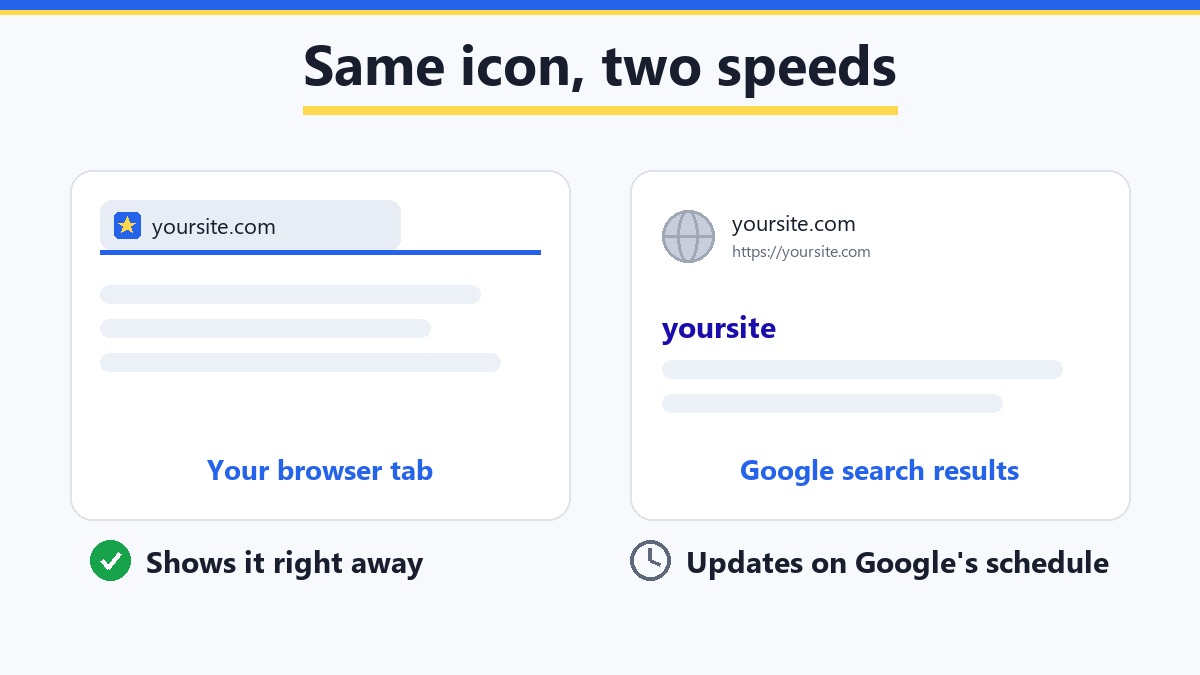
You uploaded your logo, refreshed the page, and there it is in the browser tab: your little icon. Then you search for your site on Google and see a grey globe next to your name. Frustrating, but it is one of the most common favicon questions, and the answer is usually boring: wait.
Here is the reason. Your browser tab loads the icon straight from your site, every time. Google does not. Google keeps its own copy, collected by a robot called Googlebot, and shows that copy in search results. Think of a shop sign and a phone book. You can repaint the sign today and everyone walking past sees it. The phone book, though, only changes when the next edition is printed.
How long does Google take to show a favicon?
Google says that after you add or change a favicon, it can take days to weeks before it shows in search results. That is Google's own wording, and nobody can promise a date. It also says that it does not guarantee to show a favicon at all.
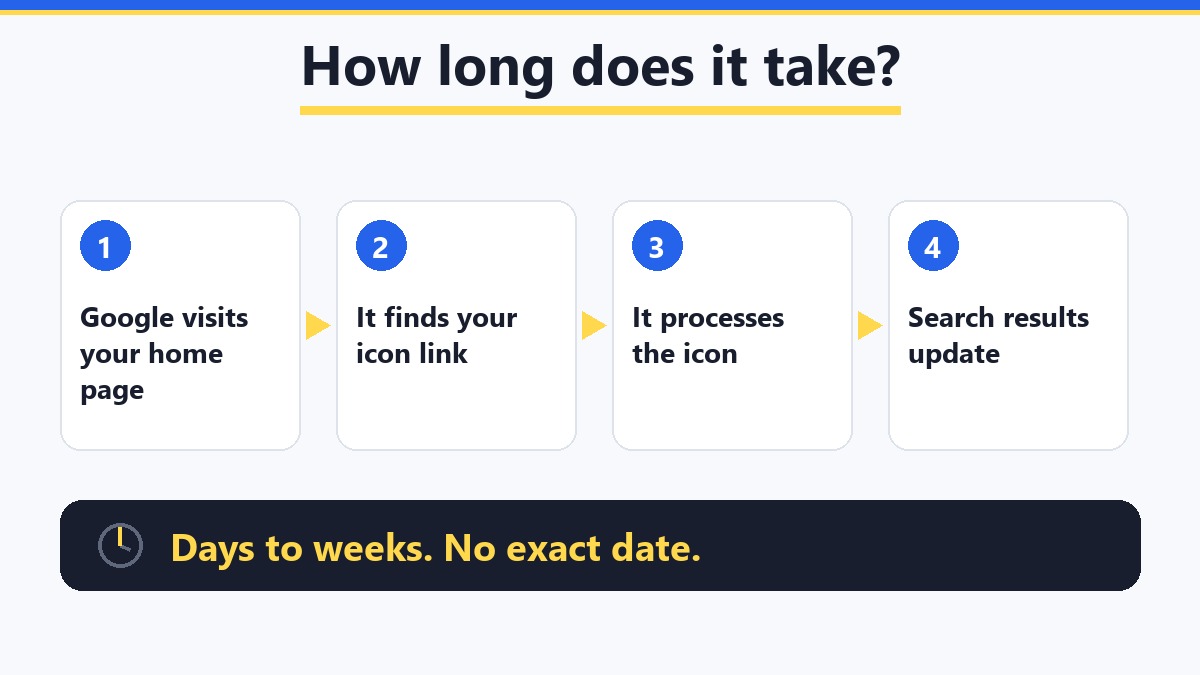
So the first rule is: if your icon was added a few days ago, do the quick checks below, ask for a recrawl once, and then leave it alone. Changing the file again and again only restarts the wait.
What does Google require from a favicon?
This is Google's own checklist (from its favicon guidelines). Go through it line by line. If every line is true, you are done and only time is left.
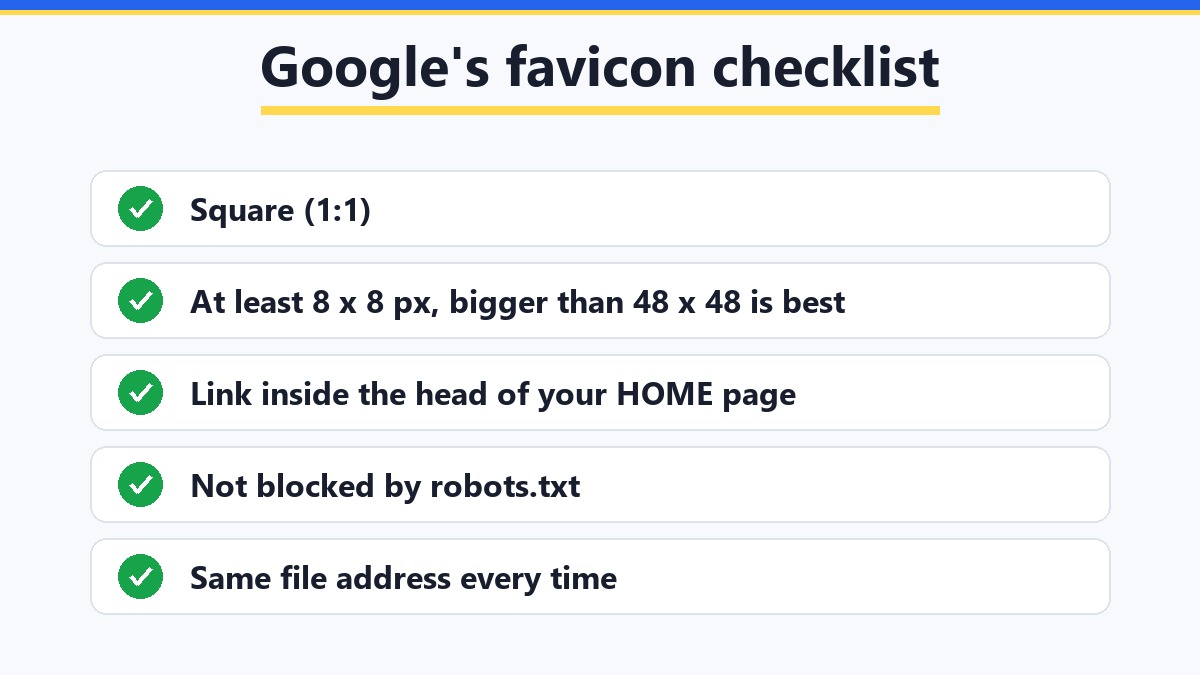
- Square. The image must be 1:1, so as wide as it is tall.
- Big enough. At least 8 × 8 pixels. Google recommends larger than 48 × 48, so that it stays sharp when it is scaled down. (An older rule said the size had to be a multiple of 48. That is outdated.)
- A format it can read. ICO and PNG are the safe choices. JPEG, GIF and BMP also work, but ICO and PNG are what nearly every site uses.
- The link is in the home page. Google reads the icon link from the
<head>part of your home page, the page at the top of your domain. - Googlebot can fetch both. It must be allowed to crawl the home page, and a robot called Googlebot-Image must be allowed to fetch the icon file.
- The address stays the same. Do not change the icon file's address every week. A stable address is easier for Google to keep track of.
- One icon per site. Google shows one favicon for the whole site address (the hostname). A folder like
example.com/blogcannot have its own. - It has to be appropriate. Google may replace an icon that is offensive or misleading with its default one.
7 fixes when the favicon still does not show
Work through these in order. The first four take a minute each.
1. Check that the icon link is in your home page
Open your home page, right-click, and choose View page source. Press Ctrl+F and search for icon. You should see a line that starts with <link rel="icon". If it is only on your inner pages, or missing, Google may never find it. Remember: the home page is the one that counts.
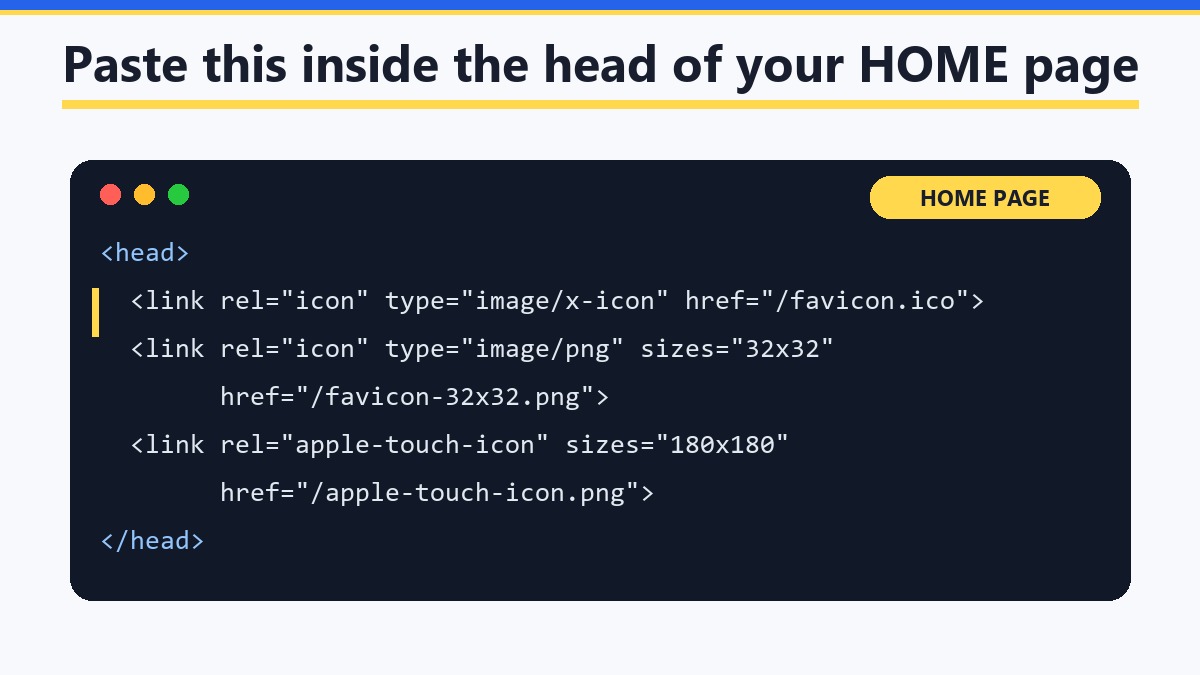
2. Open the icon file's address by itself
Type your domain followed by /favicon.ico into the address bar, for example yoursite.com/favicon.ico. You should see your little icon. If you see an error page, a redirect loop or an empty page, the file is not where the link says it is. Fix the path or upload the file again.
3. Make sure robots.txt is not blocking the icon
Open yoursite.com/robots.txt. A robots.txt file is a short note for robots that says which parts of your site they may visit. If it blocks the icon file, or the folder it lives in, Google cannot fetch it. Remove that line, or allow the file.
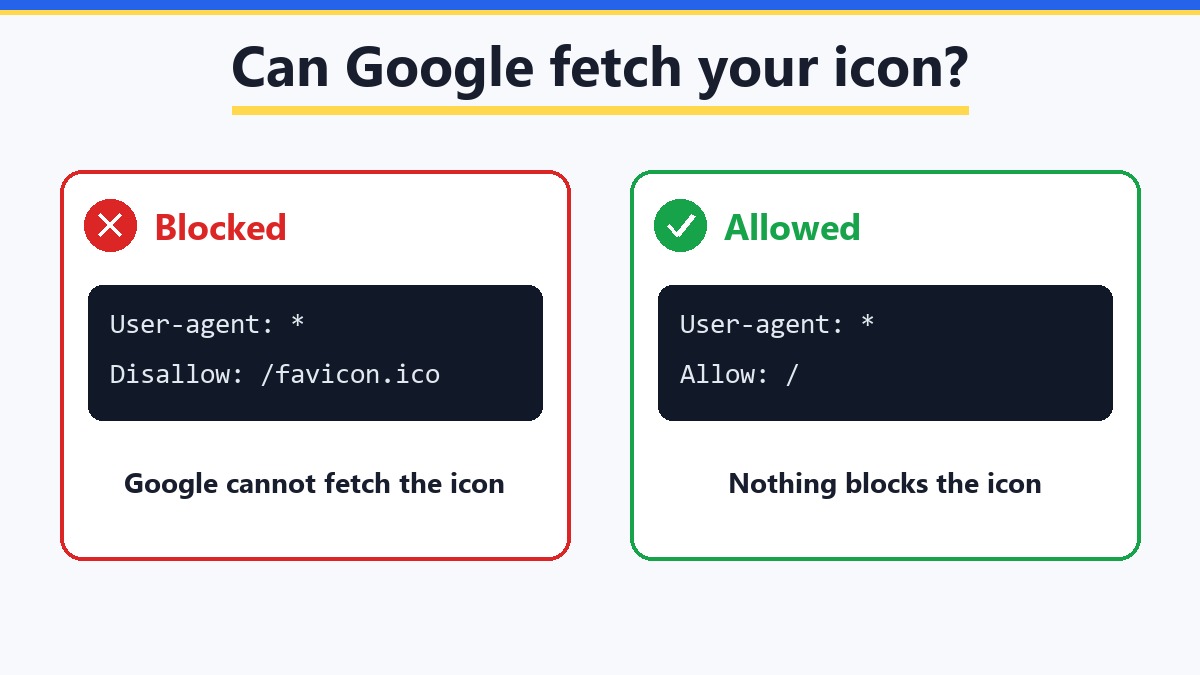
4. Check that Google can reach your home page
Google must be able to crawl the home page. It can follow redirects, for example from http to https or from www to the plain address, but the home page itself must open, and it must not be blocked by robots.txt. If your site shows a password page, a maintenance page or an error to visitors, Google sees the same.
5. Use a square image that is not tiny
A wide or tall logo gets squashed or cropped, and a 16-pixel image looks blurry once it is scaled up. Start from a square picture of at least 512 × 512 pixels and let the icon sizes be made from it. Our Favicon Generator does this in your browser: it crops to a square from the centre and makes favicon.ico, the PNG sizes and the code to paste. The full list of files is in How to Make a Favicon in Every Size From One Image.
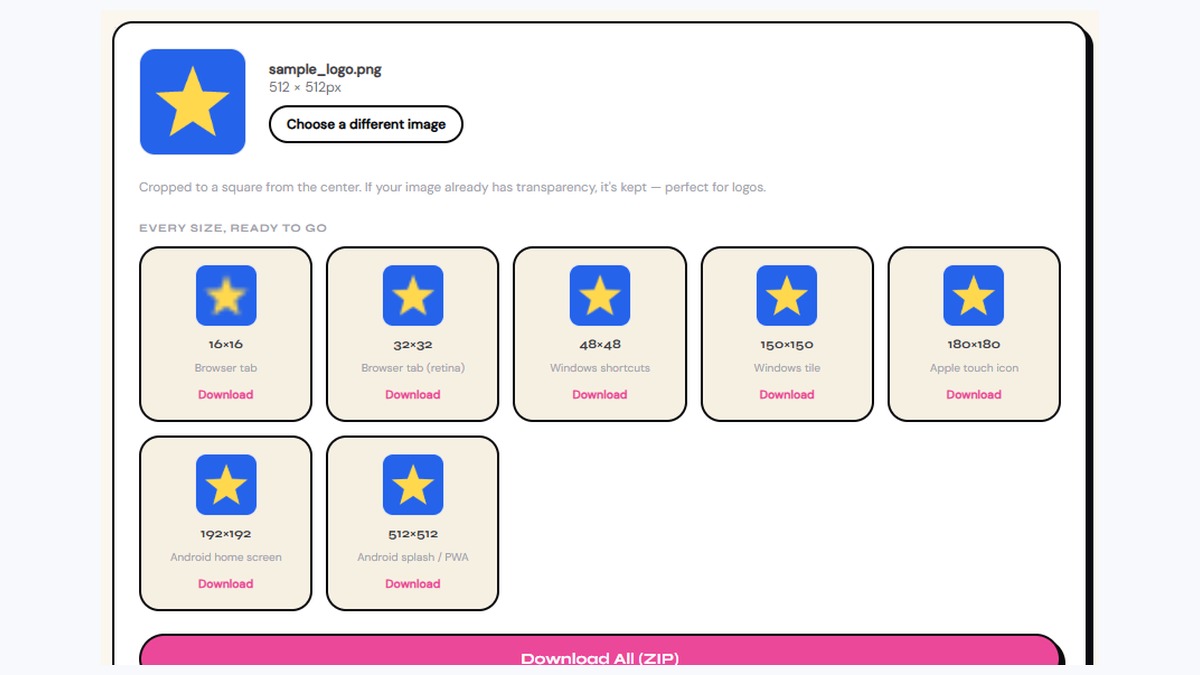
6. Keep one favicon for the whole site
If your site lives in a subfolder, such as yoursite.com/shop, it uses the favicon of the main address. A separate icon for the subfolder will not show in Google. A subdomain, such as shop.yoursite.com, is a different hostname and can have its own.
7. Ask Google to recrawl your home page
Once the checks above are fine, open Google Search Console (Google's free tool for site owners), paste your home page address into the search bar at the top, and press Enter. This opens the URL Inspection tool. If the page is in Google, you can press Request indexing. This tells Google to visit again soon, but it still does not promise a date. Do it once, not every day.
Need a simple icon or logo to start from?
Creative Fabrica is a marketplace of fonts, graphics and other design assets (they say 12 million+). Handy if you need a bold, simple shape to turn into a favicon. Check the licence of each item before you use it commercially.
Browse Creative FabricaThis is a paid link. If you buy through it, we may earn a commission at no extra cost to you. Full disclosure →
Favicon not updating in Google after you changed it?
Changed your logo, but Google still shows the old icon? Same story as above, just in the other direction: Google is holding the old copy until it visits again. Three things help:
- Keep the same file address. Replace the file at the same address (for example the same
favicon.ico) instead of renaming it. If you must use a new address, update the link in your home page code as well. - Clear the browser cache for your own view. Your tab may still show the old icon from your browser's memory. Press Ctrl+Shift+R, or open the site in a private window. This does not change Google, it only helps you check the real file.
- Request indexing once for the home page, as in fix 7, and then give it a few weeks.
WordPress, Shopify, Squarespace and the rest
Most website builders have a box for the icon, often called Site Icon or Favicon in the theme settings. Use it, and use a square image of at least 512 × 512 pixels. The builder then writes the link into your home page for you. If the icon shows in the tab but not in Google, the checks above still apply, and the wait is the same. For where to find the setting, see the WordPress and Shopify tips in our favicon size guide.
No website yet, or not sure where the files should go? How to Launch Your First Website walks through domain, hosting and the finishing touches, a favicon included. More small helpers like this one are in the free tools list.
Good to know before you start
- Google does not promise to show your favicon. Even a perfect one can take weeks, and it is Google's decision in the end.
- The home page is the one that counts. Google reads the icon link from it, so check that page first.
- The tab and Google are different copies. Seeing it in your tab only proves the file works, not that Google has picked it up.
- Do not change the file again and again. Every change can restart the wait. Fix it once, request indexing once, then wait.
- An old rule you may read online is outdated. The size does not need to be a multiple of 48. Square and larger than 48 × 48 is the advice now.
FAQ
Google says days to weeks after you add or change it, and it does not give an exact date. If a few weeks have passed and the checks in this post are all fine, ask Google to recrawl your home page once and keep waiting.
The tab loads the icon straight from your site every time. Google keeps its own copy and updates it when its robot visits again. So the tab can be right today while Google is still behind.
Square (1:1) and at least 8 × 8 pixels. Google recommends larger than 48 × 48 so that it stays sharp when scaled down. Starting from 512 × 512 pixels is a safe choice.
No. Google lists ICO, PNG and several other formats, so a PNG is fine. What it asks for is a square icon (larger than 48 × 48 pixels is recommended), a link to it in the head of your home page, and a file that Google is allowed to fetch. An ICO is optional but harmless. More in the “PNG or ICO” section of our favicon size guide.
Yes. The GetPlugzz Favicon Generator is free, with no account and no watermark. It runs in your browser, so your image is not uploaded anywhere.
No. Google shows one favicon per hostname, so example.com/blog uses the icon of example.com. A subdomain such as blog.example.com counts as its own hostname.
Yes. If robots.txt blocks the icon file, or the home page, Google cannot fetch them, and the favicon will not show.
Free Favicon Generator — Every Size in One ZIP
Drop in one image and get the icon files plus the code to paste. Built by GetPlugzz, made entirely in your browser.







