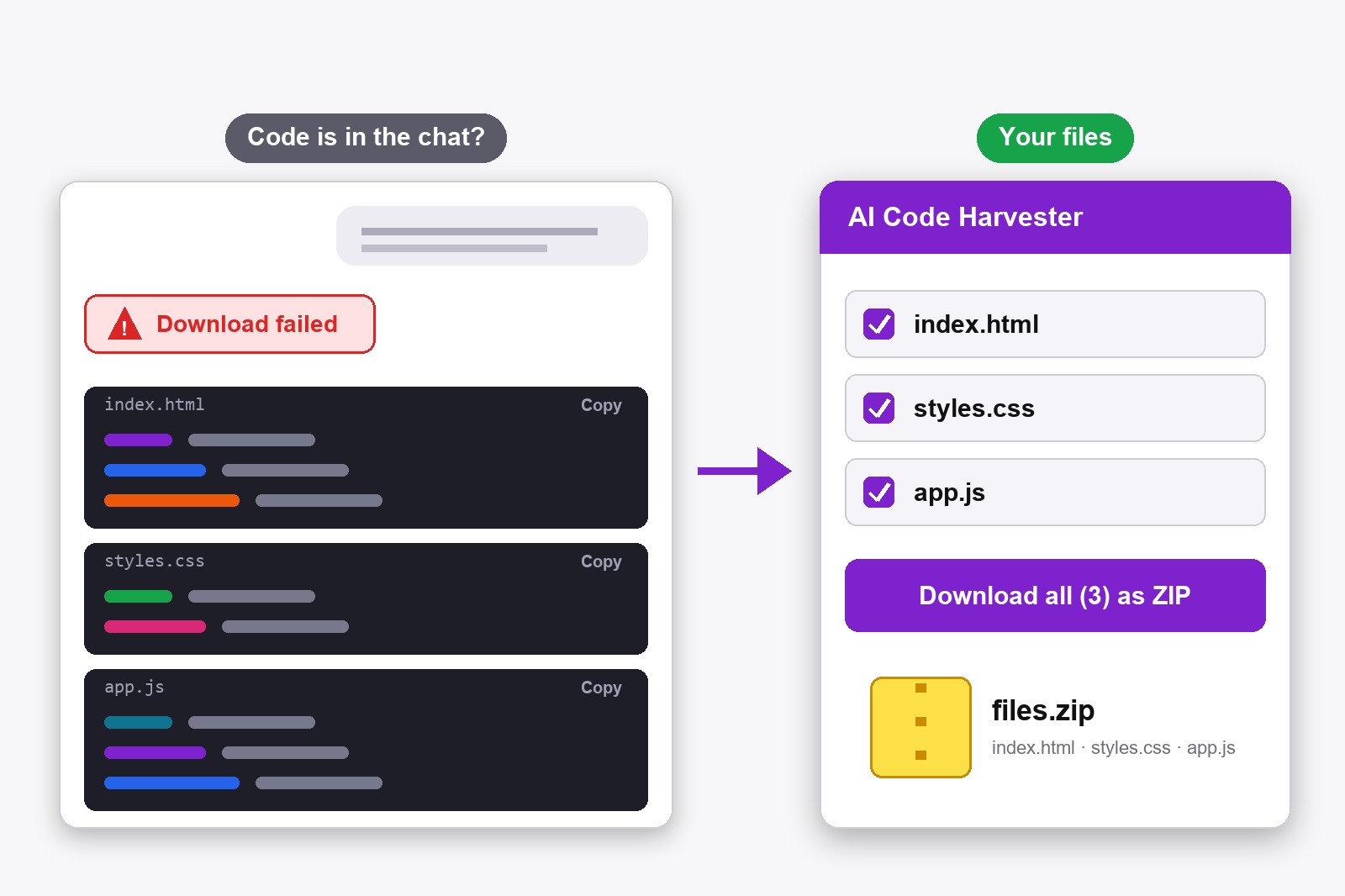
If ChatGPT says your file is ready but the download link fails, do not ask it again. If the code is written in the chat, install the free AI Code Harvester, open the conversation and click Download all as ZIP. It collects every code block from the answer and saves it as named files. It runs in your browser, so nothing is uploaded.
Why ChatGPT sometimes cannot give you the file
You ask ChatGPT to build a small website or a script, and it answers that the files are ready, with a download link. Sometimes the link says the file was not found, or it has expired, or it never worked. Asking again often gives the same result. The good news is that, most of the time, ChatGPT has also written the code in the chat as code blocks (the grey boxes with a Copy button). The code is right there. What is missing is a quick way to turn those boxes into real files, and that is the job of the extension.
How to get your code anyway, step by step
- Ask for the code in the chat. Write: Show the full code of every file in separate code blocks, with the file name above each block. Skip this step if the code is already on the screen.
- Install the extension. Get AI Code Harvester from the Chrome Web Store. An extension is a small add-on that gives Chrome one new feature. This one is free and needs no account.
- Open your ChatGPT conversation. A small panel appears in the bottom-right corner of chatgpt.com and shows how many code blocks it found. If you do not see the newest code, click the refresh button in the panel.
- Check the file names. The panel lists each file. Untick the ones you do not want under Include in download.
- Click “Download all as ZIP”. You get one ZIP file with every file inside, for example index.html, styles.css and app.js. Prefer separate files? Switch to 1-by-1.
- Unzip and open. Open the files in your editor or double-click index.html to see the page in your browser.
When this works, and when it does not
- It works when the code is shown in the chat as code blocks, which is the normal case for HTML, CSS, JavaScript, Python and most other code.
- It does not work when ChatGPT gives you only a file, such as a PDF, a spreadsheet or an image, and writes nothing in the chat. There is no code on the screen to collect. Ask it to print the content as text first.
- It cannot fix ChatGPT’s own error. The broken link stays broken. The extension simply uses the code that is already in the conversation.
- Code in a canvas (the side window ChatGPT sometimes opens) may not be found. If so, ask ChatGPT to paste it into the chat.
If the file names are missing in the panel, it names the files by language, for example Code_1.html. You can rename them after unzipping.
Make ChatGPT name every file next time
The extension finds file names by reading the lines just above each code block. So the more clearly ChatGPT writes index.html above its block, the better your ZIP looks. You can save this as a standing rule: in ChatGPT open Settings → Personalization → Custom Instructions and add Always write the file name and extension above each code block before the code. The panel also has a Copy Prompt button with a ready sentence. More about the extension on the AI Code Harvester page.
Who this saves time for
- Beginners who ask ChatGPT for a website and get five files in one long answer.
- Developers who want the whole project in a folder, not copied block by block.
- Anyone whose download link from ChatGPT stopped working.
If you also use Gemini, it works the same way there. The longer story is in our guide to downloading AI code as a ZIP.
Good to know before you start
- It works on chatgpt.com and gemini.google.com only. It does not work on other sites or in other browsers than Chrome and Chromium-based ones.
- It saves code that is written in the chat. If ChatGPT gives only a file or an image, there is nothing to collect.
- Folders are not recreated. Every file lands at the top level of the ZIP, so move them into folders yourself.
- It uses the newest answer with code. If you want an older answer, scroll to it and press refresh in the panel.
- It is free and stays on your computer. No account, no upload, and your chats are not read by us.
FAQ
ChatGPT sometimes creates a file link that is expired, missing or never worked. It is a problem on ChatGPT's side, so asking again can give the same result. The code is often still written in the chat, and that can be saved.
Install the free AI Code Harvester extension, open the conversation, and click Download all as ZIP in the panel. Each code block becomes a named file.
No. The extension collects code that is shown as code blocks in the chat. If ChatGPT only offers a file, ask it to show the content as text first.
Yes. The ZIP holds all files from the answer. You can also tick the ones you want, or save them one by one.
No. The link stays broken. The extension saves the code that is already in the conversation, which is usually all you needed.
Yes. Every feature is free and you do not need an account.
No. It works locally in your browser. Your prompts and code never leave your computer.
AI Code Harvester — Free, Local, No Account
Made by GetPlugzz. Local processing only: nothing is uploaded, nothing is tracked.